 IT Training & Consulting, Inc.



Commercial Security Camera Installation: A Complete Guide for California Businesses
Commercial security camera installation is not a camera purchase. It is an infrastructure project. The cameras are the visible part, but what determines whether a system works reliably for years is everything behind them: the cabling, the network switches, the power budget, the storage design, and the way camera traffic moves through the building.
For California businesses, there is another layer. The state has specific licensing requirements for low-voltage work, evolving workplace surveillance rules, and permitting thresholds that commercial camera circuits routinely cross. A system that works perfectly in a small office can fail in a warehouse, a multi-tenant building, or a campus environment when infrastructure is treated as an afterthought.
This guide explains what commercial security camera installation actually involves, what can go wrong, and how to plan a system that scales with your business.
What Makes a Camera Installation “Commercial”?
The difference between a residential camera job and a commercial one is rarely the camera count. It is the building.
A commercial installation typically involves cable pathways that must meet plenum-rated requirements above drop ceilings. It involves permitting thresholds that PoE circuits can trigger. It requires a PoE power budget that has to be sized against peak camera draw, not idle consumption. And in California, it brings employee privacy considerations into the design conversation in ways a home installation never does.
The same eight cameras can cost dramatically different amounts depending on what sits above the ceiling, how far the recorder sits from the furthest lens, and who else has to approve the work. A landlord, property manager, or insurer may all have a say in a commercial environment.
Why the Physical Layer Determines Camera Performance
Most camera problems that surface weeks or months after installation are not camera problems. They are cabling or network problems.
Cable Category and Distance Limits
IP cameras depend on Ethernet cabling. TIA-568 standards define a maximum horizontal cable run of 90 meters (about 295 feet), with an additional 10 meters allowed for patch cords at each end. Exceed that distance and the camera may still power on but drop frames, reboot intermittently, or fail to negotiate full resolution.
The cable category matters as well. Cat5e can carry many camera streams, but Cat6 and Cat6A provide better performance headroom, reduced crosstalk, and more reliable PoE delivery over longer runs. In commercial environments where cameras share pathways with other data cabling, the difference is not theoretical.
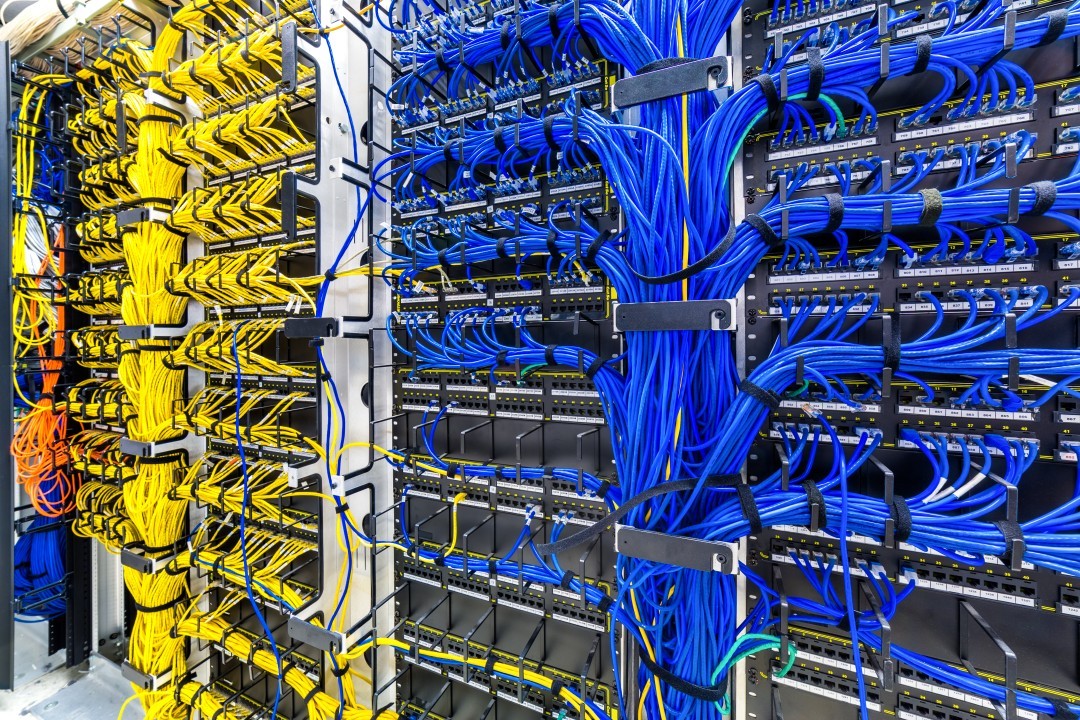
A well-planned structured cabling system gives cameras a dedicated, documented physical path from the camera location back to the network closet or server room and MDF/IDF cabling infrastructure.
Power over Ethernet Reality
PoE simplifies camera installation by delivering power and data over a single cable. It also introduces a constraint that many installations ignore: voltage drop.
A PoE camera’s power draw is not constant. Infrared illuminators engage at night. Heaters activate in cold weather. Pan-tilt-zoom motors draw heavily during movement. A switch that appears to have sufficient wattage on paper can still fail when the farthest camera reaches its peak load.
NEC 725 Class 2 wiring rules govern many low-voltage camera circuits. Those rules define installation requirements, but they do not guarantee that the device at the end of a long cable run will receive adequate voltage. That requires a voltage-drop calculation using actual peak device wattage and actual cable length. For 24V non-PoE cameras, round-trip copper resistance usually controls the design limit. A nearby PoE switch frequently outperforms dozens of marginal long runs.
Bandwidth, Storage, and Network Isolation
Every IP camera streams video continuously. On an unmanaged network, that traffic competes with point-of-sale terminals, VoIP calls, and general business internet access. A poorly planned camera system can degrade the network it depends on.
Bandwidth scales with resolution and compression codec. A 1080p camera typically consumes roughly 2 to 4 Mbps when using H.265 compression. A 4K camera on H.264 can consume 16 to 32 Mbps. Multiply that by the camera count and the network impact becomes significant.
Storage requirements are calculated from camera count, resolution, frame rate, compression, and required retention period. Many commercial systems plan for 30 to 90 days of retention. That footage has to live somewhere, whether on a network video recorder, a server, or cloud storage.
Network isolation is the step most systems skip. Cameras should sit on their own VLAN, separated from payment systems, staff workstations, and guest Wi-Fi. This limits the blast radius if a camera is compromised and prevents camera traffic from interfering with business-critical applications. Proper network infrastructure planning accounts for this from the beginning.
California Compliance Considerations
California businesses face regulatory considerations that residential installations do not.
The California Contractors State License Board requires a C-7 Low Voltage Systems Contractor license for communication and low-voltage systems that do not exceed 91 volts. Closed-circuit video systems fall within this classification. A licensed low-voltage contractor is not optional for commercial work in the state.
Workplace surveillance rules are also evolving. California Assembly Bill 1331, signed into law and taking effect January 1, 2027, adds Part 5.8 to the Labor Code and limits workplace surveillance in private spaces. The law prohibits surveillance in bathrooms, locker rooms, changing areas, breakrooms, cafeterias, lactation spaces, and lounges. It also restricts tracking how often employees use those spaces and requires surveillance tools to be disabled during off-duty hours wherever the employee is located.[reference:0][reference:1]
The law permits limited exceptions for safety badges, personal alarms, and one-time bathroom entry or exit checks, but these exceptions are read narrowly. Employers should audit their surveillance technology, update monitoring policies, and document any justification for monitoring in private-adjacent spaces before the effective date.[reference:2]
Local permitting requirements also apply. The City of Los Angeles Department of Building and Safety publishes thresholds indicating that permits are required for communication circuits over 30 volts, or under 30 volts but exceeding 100 volt-amperes, among other conditions. Modern PoE camera circuits can cross these thresholds depending on switch configuration and camera count. Permit requirements depend on the authority having jurisdiction, building type, and project scope. This is not legal advice, and requirements should be verified with the applicable building department.
“The camera is the easy part. The hard part is the pathway, the power budget, and the network the camera sits on. If those are planned correctly, the system works. If they are not, you will be troubleshooting cameras that were never the problem.”
— Abner Navarro, Network Support Specialist, ITTC
Common Mistakes in Commercial Camera Projects
Several recurring mistakes drive most post-installation problems.
Treating cameras as a standalone purchase. Cameras are network devices. They require switching capacity, VLAN configuration, storage planning, and monitoring. A hardware list without a network design is not a system.
Under-sizing PoE. A switch’s total power budget must cover peak camera draw, not spec-sheet idle figures. Infrared and heaters change the math.
Ignoring cable pathways. J-hooks, cable trays, conduit, and plenum requirements all affect installation cost and timeline. Pathway planning should happen before cameras arrive, not during installation.
Skipping labeling and documentation. An unlabeled camera cable becomes a troubleshooting problem months later. Proper labeling at the patch panel, camera end, and switch port saves hours of diagnostic time during moves, adds, and changes.
No retention strategy. Storing footage indefinitely is not a plan. Required retention depends on business need, insurance requirements, and industry obligations. The storage budget should match the retention policy.
What Security Camera Installation Costs Actually Depend On
Camera installation pricing varies widely, and any final number quoted without a site walk is a guess. For planning purposes, an 8-to-16-camera commercial site in Los Angeles commonly falls in the range of $8,000 to $25,000 or more installed, with larger or multi-zone properties starting higher.[reference:3]
The cost drivers are consistent:
- Camera count and coverage intent. More cameras cost more, but coverage matters more than count. A thorough site walk identifies actual risk areas rather than assuming one camera per corner.
- Resolution and camera type. Basic HD cameras are less expensive but lose detail at distance. 4K cameras and specialty PTZ models cost more but can capture identifying detail when needed.
- Wiring and pathways. Existing conduit, accessible ceiling spaces, and available cable pathways reduce labor. Difficult runs, plenum requirements, and long distances increase it.
- PoE and network infrastructure. If existing switches lack PoE capacity or VLAN support, those upgrades belong in the project budget.
- Storage and retention. Higher resolution and longer retention periods require more storage capacity.
- Site conditions. Multi-building campuses, warehouses, and properties with limited equipment room space require more planning and often more hardware.
For multi-building properties or long cable runs, fiber optic cabling may be necessary to connect camera networks between buildings within Ethernet distance limits.
How ITTC Approaches Commercial Camera Projects
ITTC treats camera installation as part of the broader network, not as an isolated cabling job.
The process starts with an assessment of the existing environment: what pathways are available, what network equipment exists, what PoE capacity the switches can deliver, and what business requirements the system must meet. From there, the design accounts for camera placement, cable routing, network segregation, storage, and retention.
Installation includes structured cabling with proper labeling and testing, PoE switch configuration, VLAN setup, and camera configuration. Documentation is part of the deliverable. For businesses opening new offices or relocating, ITTC coordinates camera infrastructure with office IT buildouts and relocations so technology work does not create delays in construction schedules.
Post-installation, managed network services can handle monitoring, firmware management, and ongoing camera system health so the business does not have to maintain specialized knowledge internally.
Frequently Asked Questions
How long does a commercial security camera installation take?
Timeline depends on camera count, site complexity, and pathway conditions. A small office with accessible ceilings and existing cable pathways may take one to three days. A warehouse, campus, or multi-floor building with difficult runs and permitting requirements can take several weeks. Site assessment before scheduling provides a more reliable estimate.
Do commercial security cameras require a permit in California?
Permit requirements depend on the authority having jurisdiction, the building type, and the electrical characteristics of the installation. The City of Los Angeles, for example, publishes voltage and wattage thresholds that PoE camera circuits can cross. Requirements vary by city and project scope, and should be verified with the applicable building department before work begins.
Can security cameras share the same network as business systems?
They can physically share infrastructure, but camera traffic should be isolated on its own VLAN. This prevents camera bandwidth from competing with business applications and limits the impact if a camera is compromised. Separating traffic is a network design decision, not a camera setting.
What cable should be used for commercial IP cameras?
Cat6 or Cat6A is standard for commercial camera installations. Cat5e can work for shorter runs with lower-resolution cameras, but Cat6 and Cat6A provide better PoE performance, reduced crosstalk, and more headroom for future upgrades. Cable must be appropriate for the pathway, including plenum-rated cable where required above drop ceilings.
How much video storage does a commercial camera system need?
Storage depends on camera count, resolution, frame rate, compression codec, and retention period. A 1080p camera using H.265 consumes roughly 2 to 4 Mbps, which translates to approximately 20 to 40 GB per day. Multiply by camera count and retention days, then add capacity margin. A storage calculator can provide planning estimates, but actual usage varies.
What happens if a camera is installed beyond Ethernet distance limits?
Runs exceeding 90 meters (295 feet) for horizontal cable plus patch cords can cause intermittent connectivity, frame drops, or PoE failure. Solutions include adding an intermediate switch or media converter, using fiber for the backbone, or relocating the network closet. Distance planning should happen during design, not after installation.
Planning a Commercial Camera Project in California?
If your business is evaluating a security camera system for a new location, a tenant improvement, or an existing facility with aging infrastructure, the physical layer deserves as much attention as the camera specification. Cabling, pathways, PoE capacity, network isolation, and compliance requirements all affect whether the system performs as expected.
ITTC can assess the environment and help coordinate the physical infrastructure with the network systems that depend on it.
Request a consultation with ITTC to discuss your commercial security camera installation project.