 IT Training & Consulting, Inc.




Server Room Cable Management: Best Practices for Business Networks
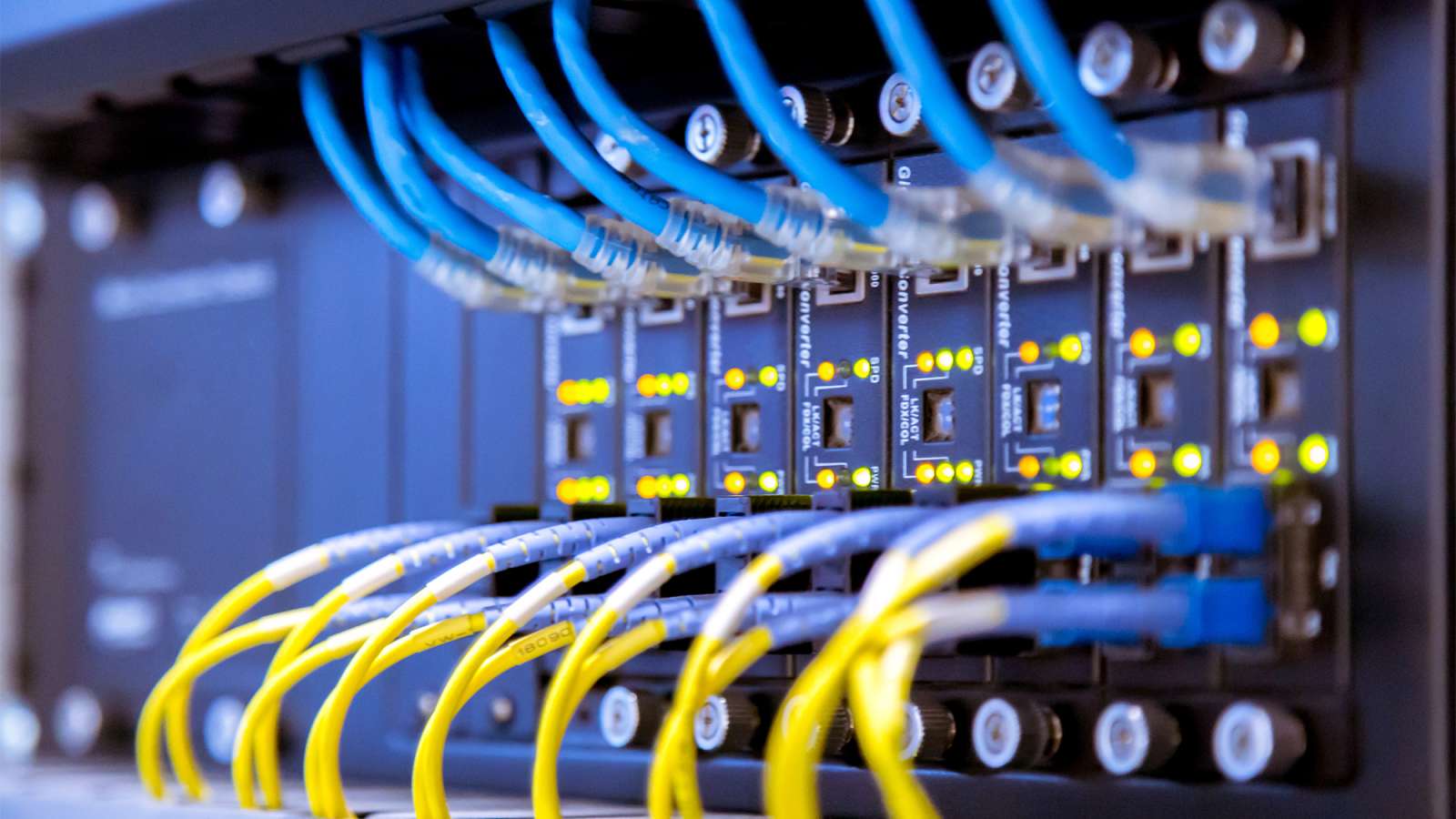
Server room cable management is the practice of routing, supporting, labeling, and documenting every copper and fiber cable inside a server room so the infrastructure remains stable as equipment changes. Good management is not cosmetic. It determines how quickly a technician can trace a fault, how much airflow reaches rack-mounted equipment, and whether adding a switch takes minutes or becomes a multi-hour outage.
For California businesses running production workloads from an on-premises server room, MDF, or IDF, the physical layer is often the longest-lived part of the network. Switches and servers get replaced every few years. The cabling plant behind them may need to support three or four hardware generations. That mismatch is why cable management decisions made during installation continue to affect operating cost, uptime, and troubleshooting long after the project is closed.
What Server Room Cable Management Actually Includes
Server room cable management covers more than neatly bundled patch cords. It includes the pathways that carry cable above racks or under raised floors, the vertical and horizontal managers that control bend radius, the patch panels and cross-connects that separate permanent links from routine changes, the labeling scheme that identifies every port, and the documentation that tells the next technician what is connected to what.
A well-designed structured cabling system divides the room into three logical layers. The backbone links the server room to other telecom rooms or floors, usually over fiber optic backbone cabling. Permanent horizontal links run from patch panels to servers and out to user areas. Patch cords between panels and active equipment are the only layer intended to change frequently. When those layers stay separate, a switch replacement involves moving short cords, not pulling permanent cable through a ceiling.
Why Poor Cable Management Becomes a Business Problem
A disorganized server room is rarely an emergency on day one. It becomes expensive through slow accumulation. Each new server, camera, access point, or VoIP phone adds another cable. Without a consistent pathway and labeling scheme, the room reaches a point where routine moves, adds, and changes take longer than they should, and troubleshooting depends on physically tracing cables by hand.
The operational consequences tend to follow a predictable pattern. Airflow through racks becomes restricted when cable bundles block exhaust paths, which raises cooling load and can shorten equipment life. Abandoned cable left in pathways reduces capacity for future runs. Unlabeled patch panels turn a simple port fault into a process of elimination across dozens of cords. When the technician who installed the original system leaves, undocumented changes become institutional knowledge that walks out the door.
For businesses in Los Angeles and Southern California, these problems are compounded by building constraints. Older commercial buildings may have limited riser space, hard-lid ceilings, or crowded telecom closets. Tenant improvement schedules often compress the time available for cabling work. A server room that was adequate at move-in can become a bottleneck after two or three growth cycles if the pathway and rack layout were never planned for expansion.
The Standards That Should Guide the Room
Professional server room cabling follows published standards rather than individual preference. The most relevant documents are ANSI/TIA-942 for data center and server room infrastructure, BICSI 002 for data center design and implementation practices, ANSI/TIA-568 for structured cabling performance, and ANSI/TIA-606 for labeling and administration[reference:0][reference:1]. These are industry standards, not laws, but they represent the consensus design baseline that experienced installers and auditors expect to see.
California projects also sit inside a regulatory layer that is separate from cabling standards. A contractor performing low-voltage work in the state generally needs a C-7 Low Voltage Systems Contractor license from the CSLB for communication and low-voltage systems operating at 91 volts or less[reference:2]. Title 24, Part 3 (California Electrical Code) and local building department requirements govern wiring methods, firestopping, and plenum cable use. Whether a specific space is an air-handling plenum, and which cable jacket rating is acceptable, depends on the authority having jurisdiction and the building’s mechanical design. Those are code questions, not design preferences, and they should be confirmed during the site survey rather than assumed after installation.
Common Cable Management Failures and What Causes Them
Overstuffed pathways and restricted airflow
Cable trays and conduits filled beyond their intended capacity leave no room for future runs and can deform cable jackets. Excessive bundles also block the rear of racks, where hot exhaust needs to escape. The usual cause is incremental addition without a fill plan. A practical target is to keep pathway fill well below maximum capacity and reserve rack space, patch panel ports, and pathway volume for growth.
Bend radius and pulling tension violations
Copper and fiber cables have minimum bend radius and maximum pulling tension limits. Tight zip ties, sharp pathway corners, and cables pulled hard around rack edges can degrade performance or damage fibers in ways that do not appear until the link is tested or placed under load. Hook-and-loop fasteners, proper vertical managers, and manufacturer-specified bend radius limits address the problem at the design stage.
Missing or inconsistent labeling
Labeling is the difference between a maintainable room and a room that depends on memory. ANSI/TIA-606 provides an identifier scheme for rooms, racks, panels, ports, and cables[reference:3]. Labeling only the patch panel end, or using a scheme that changes with each installer, defeats the purpose. Both ends of every cable and every panel port should carry the same identifier, and the scheme should be documented.
Power and data run together
Running copper data cable parallel to power conductors for long distances can introduce electromagnetic interference. Separation is a design requirement, not a suggestion. Overhead pathways should keep data and power on separate tray sections or maintain deliberate spacing, and rack power distribution should be arranged so data cords do not drape across PDU outlets.
No as-built documentation
A room without port schedules, test results, and updated floor plans forces every future technician to reverse-engineer the installation. Documentation is part of the deliverable, not an optional extra. Without it, even a well-installed room gradually loses its structure as changes accumulate.
Practical Best Practices for Server Rack Cabling
Plan rack layout before ordering cable
Rack position drives every downstream decision. TIA-942 guidance calls for clear working space in front of and behind racks, and 800 mm cabinets leave room for vertical cable managers on both sides[reference:4][reference:5]. Network racks placed centrally in a row keep patch cords and uplinks shorter in both directions. Cold aisle and hot aisle orientation should be settled on paper before cable is pulled, because reversing airflow later is far more disruptive than planning it correctly at the start.
Use the right pathway and support
Overhead ladder rack or cable tray provides a stable, accessible route for backbone and horizontal cable. Vertical managers at the sides of each rack control patch cord routing and protect bend radius. Cables should be supported at regular intervals and never rest directly on ceiling grid, sprinkler piping, or other building services. Abandoned cable should be removed during cleanup, not left in place to consume pathway capacity.
Keep permanent links and patching distinct
The structured cabling model works because permanent links stay fixed and patching absorbs change. A technician should be able to replace a switch by moving patch cords, without disturbing the horizontal cabling. That separation also makes testing and fault isolation faster, because a suspected link can be tested from the panel without dismantling the rack.
Label and document as you install
Labeling during installation is significantly faster than labeling after the fact. A consistent scheme should identify the rack, panel, port, and far end of every link. Test results for copper and fiber should be retained alongside the port schedule and as-built drawings. This record becomes the reference point for every future move, add, or change.
Reserve capacity deliberately
A server room built to exactly current demand has no room for the next project. Leaving spare rack units, unpopulated panel ports, and unused pathway capacity is cheaper than rebuilding later. The same logic applies to power and cooling, but cable management is where growth constraints often appear first because pathways are difficult to expand once ceilings are closed.
“The rooms that stay manageable are the ones where every cable is labeled at both ends and the port schedule is updated before the next change. Documentation is not paperwork—it is what lets a technician fix a fault in minutes instead of tracing cords for an hour.”
— Abner Navarro, Network Support Specialist, ITTC
What Drives the Cost of Server Room Cable Management
There is no universal per-drop price for server room cable management because the work is shaped by conditions that vary widely between buildings. The most significant cost factors include the number of drops and panel ports, the cable type (Cat6, Cat6A, or fiber), the building’s ceiling and pathway conditions, whether existing infrastructure can be reused, and the amount of remediation required to remove abandoned cable and correct prior work[reference:6][reference:7].
Finished ceilings, occupied spaces, after-hours work restrictions, and limited freight or elevator access all increase labor time. A room that needs only new patch cords and labeling is a different project from one that requires new ladder rack, panel replacement, and fiber backbone work. For planning purposes, server room projects are often scoped as an integrated package covering racks, power, pathways, copper, fiber, patching, testing, and documentation rather than as isolated per-cable tasks[reference:8]. A site survey is the only reliable way to convert those variables into a useful budget range.
When Professional Assessment Makes Sense
Some cable management work is straightforward: replacing patch cords, adding a labeled run, or cleaning up a single rack. Other situations warrant a professional assessment because the consequences of getting the design wrong are difficult to reverse. Warning signs include recurring intermittent connectivity that survives equipment swaps, a room that cannot add a server without pulling new permanent cable, visible heat buildup at the rear of racks, pathways with no remaining capacity, and documentation that no longer matches the installed system.
California businesses planning an office IT buildout or relocation should involve cabling design early, before walls and ceilings close. Retrofitting pathways into a finished space costs more and disrupts operations. The same applies to businesses modernizing an older server room: the cabling plant is the layer that is hardest to change after the fact, so it deserves the same planning attention as switches and servers.
How ITTC Approaches Server Room Cable Management
ITTC approaches server room cabling as part of the larger network infrastructure, not as an isolated cable installation. The process starts with an assessment of the existing environment: rack layout, pathway capacity, cable condition, labeling, power separation, and the business requirements the room needs to support. From there, the design addresses rack placement, copper and fiber routing, patch panel layout, and the labeling scheme before installation begins.
As a California C-7 licensed low voltage contractor, ITTC coordinates the physical layer with the systems that depend on it, including switching, wireless, security cameras, and server connectivity. Installation includes testing, labeling, and documentation, and remediation work can be phased to keep production systems running. For businesses that need ongoing support after the project, managed network services can maintain the documentation and monitoring that keep the room from drifting back into disorder. The primary server room cabling scope covers racks, patch panels, pathways, cable cleanup, and labeling for commercial spaces across Los Angeles and Southern California.
Frequently Asked Questions
How often should server room cables be re-dressed or re-labeled?
There is no fixed interval. The practical trigger is change volume. If the room undergoes frequent moves, adds, or changes, a periodic review—typically annually or after a major project—keeps labeling and documentation aligned with reality. Rooms with low change activity can go longer, but any significant addition should include a documentation update at closeout.
Is plenum-rated cable always required in a server room?
Not always. Plenum-rated cable is required in air-handling spaces where cable is exposed to circulating air, such as certain ceiling voids. Whether a specific server room or pathway is a plenum depends on the building’s mechanical design and the authority having jurisdiction. Riser-rated cable may be appropriate in vertical shafts, and the requirement should be confirmed during design rather than assumed.
Can we clean up an existing server room without taking the network down?
In many cases, yes. Remediation can be phased around live systems: tracing and labeling existing cable, removing abandoned runs, re-dressing racks, and replacing patch cords in stages. Backbone or panel replacement may require planned maintenance windows. The scope and sequencing depend on how much of the room needs to change and how much redundancy the network has.
Cat6 or Cat6A for a new server room?
Cat6A is commonly specified for new commercial server room copper because it supports 10GBASE-T across the full 100-meter channel and provides headroom for higher Power-over-Ethernet loads and future bandwidth needs[reference:9]. Cat6 remains viable for shorter runs and lower-density environments. The decision should follow the equipment roadmap and the expected service life of the room, not only the current device list.
What should be included in server room cabling documentation?
A useful closeout package includes as-built drawings, a port and panel schedule, labeling scheme, copper test results, fiber loss and OTDR results where applicable, and a record of abandoned or removed cable. The documentation should be stored where the IT team can find it and updated when changes are made, otherwise it loses value quickly.
Planning a Server Room Cable Management Project in California?
If your business is planning a new server room, cleaning up an existing one, or coordinating cabling with an office buildout, ITTC can assess the environment and help align the physical infrastructure with the network systems that depend on it. Request a consultation with ITTC to discuss your project.